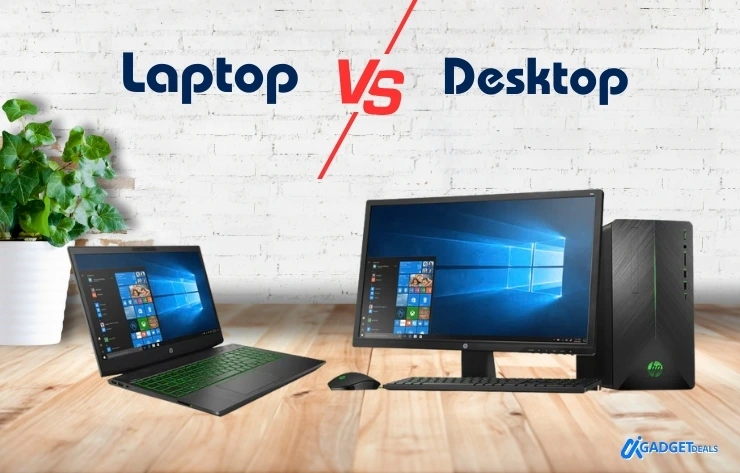
Are you worried about buying a laptop vs Desktop? Can’t make the decision which will be good for you?
It is almost 2026, and the debate between Laptop vs Desktop is still one of the most common and confusing decisions for most buyers. The rapid advancements in processors, AI acceleration, graphics performance, and energy efficiency, makes it more difficult to choose the one. You know that, choosing the right computer is no longer just about specification, it is about how you work, where you work, and what is the main purpose for using it.
In 2026, choose a laptop if you need portability, battery life, and flexible work. Choose a desktop if you need maximum performance, upgradability, and long-term value.
In this article, you will get the answer directly: what should you choose: Laptop or Desktop? I will also explain both the pros and cons, performance differences,and buying considerations for both laptops and desktop PCs.
In This Post......
- Pros and Cons of Laptops
- Pros and Cons of Desktops
- Who Should Choose a Laptop?
- Top Laptops to Buy in 2026
- Types of Laptops
- Who Should Choose a Desktop?
- Laptop vs Desktop Performance Comparison
- Things to Consider When Buying a Laptop or Desktop
- Final Decision: Laptop vs Desktop: Which Is Best?
- Related Laptop Buying Guides (2026)
- Frequently Asked Questions (FAQs)
- Final Thoughts
Pros and Cons of Laptops
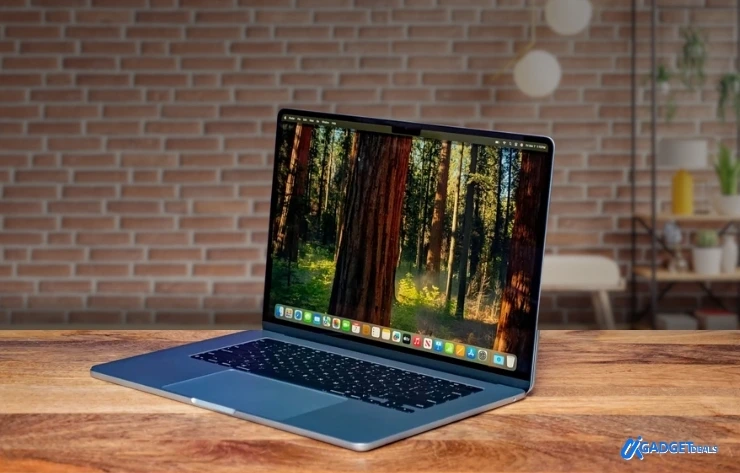
A laptop is a compact, portable computing device that integrates the screen, keyboard, trackpad, speakers, battery, and internal hardware into a single unit. Modern laptops can match desktop PCs for many everyday tasks and even support professional workloads.
Pros of a Laptop
1. Portability and Compact Design
It doesn’t matter what professions you are in. In some cases, we need to visit outside of home for a few days to a month. Nowadays, we can easily do the task using a laptop. So, if you frequently visit new places and can complete your work virtually from anywhere, a laptop is the best choice for you.
Laptops are designed primarily for mobility. Their lightweight and compact construction allow you to work, study, or consume content from virtually anywhere such as homes, offices, cafés, libraries, or while traveling.
Modern ultrabooks can weigh under 1.5 kg. So, it is easy to carry throughout the day without physical strain.
2. Built-in Battery for On-the-Go Usage
One of the biggest advantages of laptops is their built-in rechargeable battery. This allows uninterrupted usage during power outages or in locations without a power source.
- Typical battery life ranges from 4 to 12 hours.
- Premium models can exceed 15–20 hours with efficient processors
- Extremely useful in regions with unstable electricity
So, there is a good advantage for you to use it during transport or visiting a new place.
3. Integrated Peripherals
Laptops integrate essential components such as:
- Display
- Keyboard
- Trackpad
- Webcam
- Speakers
This all-in-one design reduces clutter, eliminates extra setup, and saves space. So, a laptop is ideal for small desks, shared rooms, and minimalist workspaces.
4. Easy Setup and Minimal Space Requirements
Laptops are ready to use straight out of the box. Unlike desktops, there is no need to connect multiple peripherals or manage cables. This makes laptops user-friendly for non-technical users.
5. Energy Efficiency
Laptops consume significantly less power than desktops. It is typically 30–90 watts, compared to 300–800 watts for desktops.
This results in:
- Lower electricity bills
- Less heat generation
- Environmentally friendly usage
In 2026, AI PCs with built-in NPUs make laptops far more capable than before. Still unsure? Explore our curated list of the Best Laptop 2026 picks for students, professionals, and gamers before making your final decision.
Cons of Laptops
1. Limited Performance for Heavy Workloads
Although modern laptops are powerful, they are still constrained by:
- Smaller cooling systems
- Lower power limits
Tasks like high-end gaming, 3D rendering, large-scale video editing, and AI training perform better on desktops. If you want these in your laptop, you have to increase your budget compared to desktop computers.
2. Difficult to Upgrade or Repair
Most laptops have:
- Soldered CPUs and GPUs
- Limited RAM or SSD upgrade options
This makes repairs and future upgrades difficult or impossible compared to desktops.
3. Higher Cost for Equivalent Specifications
For the same hardware configuration:
- Laptops are generally more expensive
- Miniaturization, batteries, and thermal engineering increase costs
A desktop often delivers 30–50% more performance at the same price.
4. Fragility and Durability Concerns
Laptops are more vulnerable to:
- Drops
- Liquid spills
- Physical wear during travel
Their compact design also limits long-term durability under heavy workloads.
5. Shorter Lifespan
Due to thermal stress and limited upgradeability, laptops typically have a usable lifespan of 3–5 years, compared to 5–8 years for desktops.
Pros and Cons of Desktops
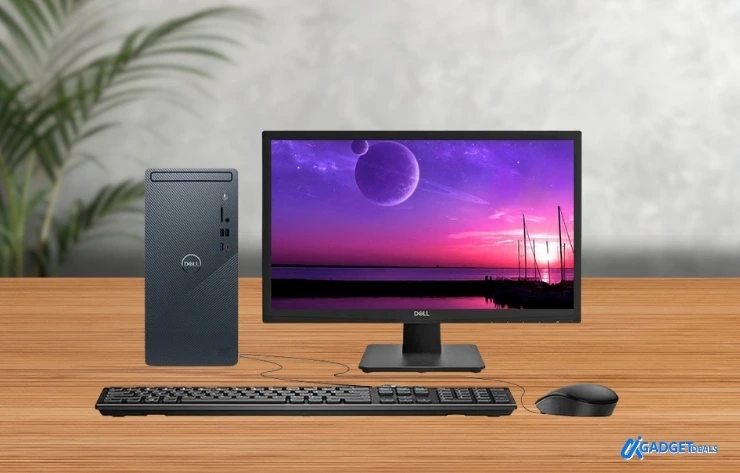
If you are doing a remote job, or want a high performance graphics for gaming, video editing, AI integration etc, then Desktop is the best one for you.
A desktop PC is a stationary computer designed for performance, flexibility, and long-term use. It consists of separate components such as a monitor, CPU tower, keyboard, and mouse.
Pros of Desktop PCs
The best advantage of using a desktop is, you can design the desktop just as you like. You can increase the graphics, SSD, HDD, memory or anything else as you want. Desktop wins the race in this case. So, let’s see some advantages-
1. Superior Performance
Desktops support:
- High-wattage CPUs
- Dedicated GPUs
- Advanced cooling systems
This makes them ideal for gaming, video editing, software development, AI workloads, and engineering tasks.
2. Customizability and Upgradability
Desktops allow users to upgrade:
- CPU
- GPU
- RAM
- Storage
- Cooling solutions
This flexibility extends the system’s lifespan and reduces long-term costs.
3. Cost-Effectiveness
For the same specifications:
- Desktops are cheaper than laptops
- Individual components are widely available
- Repairs are easier and more affordable
4. Better Cooling and Thermal Management
Larger cases provide:
- Better airflow
- Larger fans or liquid cooling
- Consistent high performance without throttling
5. Durability and Longer Lifespan
Desktops are stationary, reducing physical damage. With proper maintenance and upgrades, they can remain relevant for many years.
6. Display Options and Screen Size
Desktops support:
- Ultra-wide monitors
- 4K and 8K displays
- Multi-monitor setups
This greatly improves productivity for professionals and gamers.
Cons of Desktop PCs
1. Lack of Portability
Desktops are not designed to move. They are unsuitable for users who need to work from multiple locations.
2. Requires More Space
A full desktop setup includes multiple components and requires significant desk space, making it less suitable for small apartments.
3. Higher Power Consumption
Desktops consume more electricity and require a constant power source. During outages, a UPS is necessary.
4. Complex Setup and Maintenance
Initial setup and regular maintenance (cleaning dust, cable management) may be challenging for non-technical users.
Who Should Choose a Laptop?
It will be better to choose a laptop rather than a desktop if you are a student, educator, remote worker, freelance, business traveller etc.
Causal browsing, streaming, and office work can be done perfectly by a laptop. The laptop is flexible and easy to transport. If you wanna go on an adventure and live here for a month, undoubtedly it will be a great choice for you.
Top Laptops to Buy in 2026
| Laptop Model | Best Use Case | Starting Price |
|---|---|---|
| Apple MacBook Pro 16″ (M3/M4) | Video editing, AI workloads | $2,499+ |
| Dell XPS 16 (2026) | Development & creative work | $1,999+ |
| ASUS ROG Zephyrus G14 | Gaming & creators | $1,799+ |
| Microsoft Surface Laptop 7 | Students & productivity | $1,599+ |
| HP Spectre x360 | Business & 2-in-1 use | $1,499+ |
Disclaimer: Check the Laptop Price on Market. It can vary according to the demand or model.
Types of Laptops
Here are the some types of laptops to choose from-
- Ultrabooks – Thin, lightweight, long battery life
- Gaming Laptops – Powerful GPUs, advanced cooling
- Workstation Laptops – Professional workloads
- 2-in-1 Convertibles – Laptop + tablet flexibility
- Chromebooks – Web-based computing
- Foldable Laptops – Emerging dual-display technology
Who Should Choose a Desktop?
Choose a desktop if you are a gamer, content creators need to high video editing, AI integration, engineers & developer etc
If you want to use it for your business and office permanently, it will be a great decision to choose the desktop for longevity.
Laptop vs Desktop Performance Comparison
| Category | Laptop | Desktop |
|---|---|---|
| Performance | Good, thermally limited | Excellent, sustained |
| Upgradeability | Limited | Extensive |
| Portability | High | None |
| Cooling | Compact | Advanced |
| Power Use | Low | High |
| Price-to-Performance | Lower | Better |
| Lifespan | Shorter | Longer |
Things to Consider When Buying a Laptop or Desktop
- Purpose of use
- Budget
- Operating system
- CPU, RAM, GPU, storage
- Display quality
- Build quality
- Battery life
- Connectivity options
- Warranty and support
- Reviews and brand reliability
Final Decision: Laptop vs Desktop: Which Is Best?
There is no universal winner.
- Choose a laptop if you value mobility and flexibility
- Choose a desktop if you need power and long-term value
- Choose both if your budget allows
Related Laptop Buying Guides (2026)
If you’re planning to buy a laptop, explore these detailed guides to choose the right model for your needs:
- Best Laptop 2026 : Top overall laptops for performance, battery life, and value
- Best Gaming Laptop 2026: High-performance laptops for modern games
- 12 Best Student Laptop 2026 : Affordable, lightweight laptops for study and daily use
- Best Budget Laptop 2026: Best value laptops at lower prices
Frequently Asked Questions (FAQs)
Can a laptop replace a desktop in 2026?
Yes, a laptop can replace a desktop in 2026 for most users. Modern AI laptops, Apple Silicon Macs, and ARM-based Windows laptops handle office work, coding, content creation, and even light video editing.
Which lasts longer, a laptop or a desktop?
A desktop lasts longer than a laptop. Desktops typically last 5–8 years due to better cooling and upgradability. Laptops usually last 3–5 years because of battery degradation, thermal limits, and limited upgrade options.
Is a desktop cheaper than a laptop?
Yes, a desktop is generally cheaper than a laptop for the same performance. At the same budget, a desktop can be 30–50% more powerful than a laptop.
Should students buy a laptop or a desktop?
Most students should buy a laptop. Laptops support mobility, online classes, group study, and assignments from anywhere. A desktop is suitable only for students focused on gaming, engineering, or design work who study and work from a fixed location.
Final Thoughts
The Laptop vs Desktop decision in 2026 depends entirely on your workflow, budget, and performance needs. Evaluate how you actually use your computer, not just specifications. Try to understand your purpose for using needs.
In 2026, the laptop vs desktop debate is no longer about specs. It’s about lifestyle. Choose the machine that fits how and where you work, not just what looks powerful on paper.