Buying a laptop in 2026 looks easy until you reach the display section. Brands advertise OLED, 3K resolution, 120Hz, HDR, and 500 nits brightness. On paper, every screen looks premium. In real use, many buyers still complain about eye strain, low brightness outdoors, and weak battery life.
According to Ross Young, Display Supply Chain Consultants (DSCC), premium laptop upgrades are now driven more by display quality than by processor performance.
In this guide, I will explain laptop display types in 2026 in simple real-world terms. You will understand IPS vs OLED vs Mini-LED, refresh rate, brightness, color accuracy, and which laptop display is actually right for your work.
Main Facts:
- In 2026, laptop display quality (panel type, brightness, and refresh rate) affects real-world comfort and satisfaction more than upgrading the processor for most users.
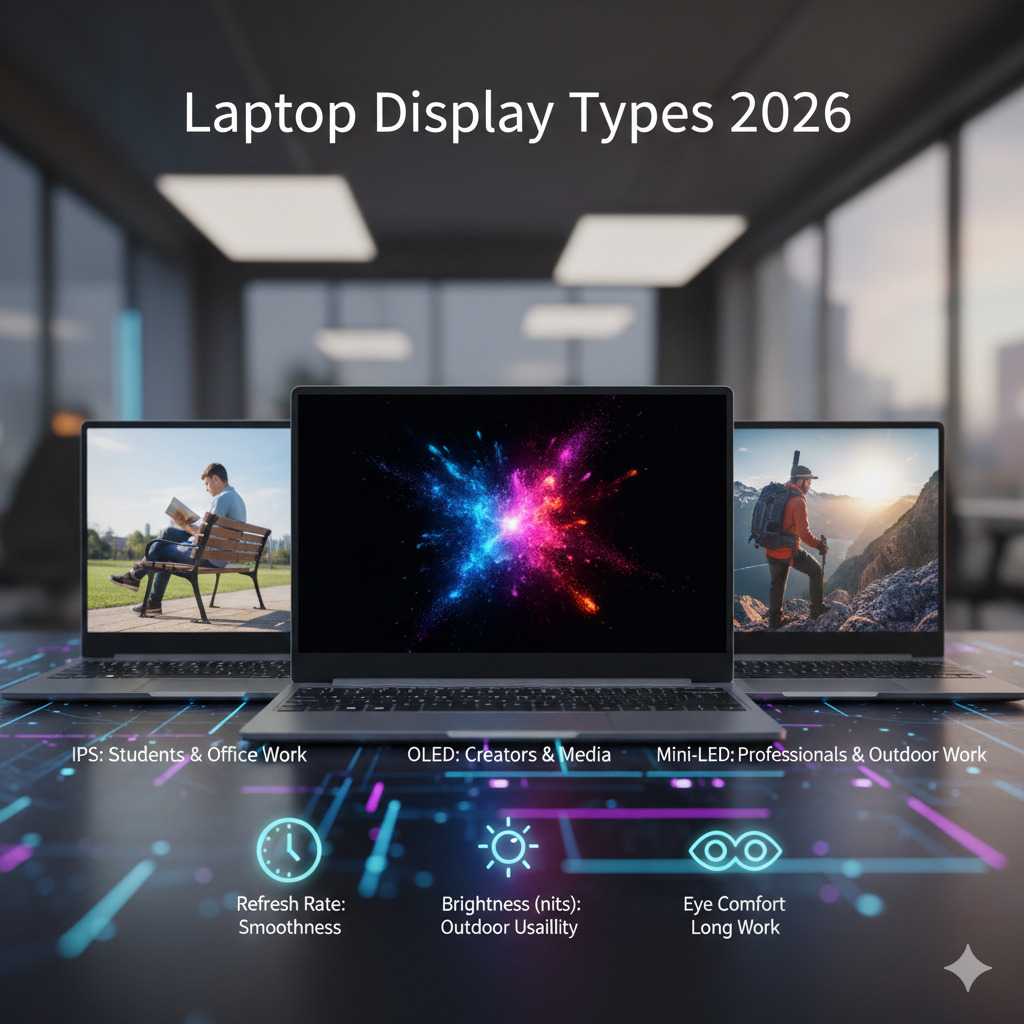
- IPS is best for students and office work, OLED is ideal for creators and media consumption, and Mini-LED offers the highest brightness and HDR performance for professional use.
- A good laptop display should have at least 400 nits brightness and a 120Hz refresh rate, while 2.8K resolution provides the best balance between sharpness and battery life.
In This Post......
- Why Laptop Display Matters More Than You Think
- What Are Laptop Display Types?
- IPS LCD Display (Most Common Laptop Screen)
- OLED Display (Premium Laptop Screens)
- Mini-LED Display (High-Brightness Professional Panels)
- Resolution Explained (FHD vs 2.8K vs 4K)
- Refresh Rate (60Hz vs 120Hz vs 165Hz)
- Brightness and Nits (Very Important in 2026)
- Which Laptop Display Is Best for You?
- You May Also Like
- Frequently Asked Questions (FAQs)
- Final Thoughts
Why Laptop Display Matters More Than You Think
When we work with a laptop, we don’t interact with the CPU. Don’t touch the RAM. But, we interact with the screen every single second. The display affects:
- Eye comfort
- Productivity
- Battery life
- Media experience
- Long-term satisfaction
Many users upgrade laptops because the screen feels bad, not because performance is slow. In 2026, laptop display quality often determines whether a device feels budget or premium.
Let’s see a comparison between poor and good display:
| Factor | Poor Display | Good Display |
|---|---|---|
| Eye Comfort | Causes fatigue | Comfortable for long work |
| Outdoor Visibility | Hard to see | Clear visibility |
| Battery Life | Often worse (inefficient panel) | Optimized efficiency |
| Media Experience | Flat colors | Vibrant and sharp |
| Long-term Satisfaction | Low | High |
What Are Laptop Display Types?
Laptop display types refer to the panel technology used to produce the image you see. The panel controls brightness, color accuracy, contrast, and power usage.
In 2026, laptops mainly use three display technologies:
- IPS LCD
- OLED
- Mini-LED
According to Ross Young, CEO of Display Supply Chain Consultants (DSCC), panel technology now plays a larger role in perceived laptop quality than pixel count. A well-tuned panel can look premium even at lower resolution.
Ethan Brooks, Display Technology Analyst, also explains that users typically notice color accuracy and contrast first, not resolution numbers. That is why many modern premium laptops prioritize panel quality over 4K resolution.
Resolution alone does not determine display quality. A Full HD OLED can look better than a 4K IPS.
Look at a glance:
| Specification | What It Affects |
|---|---|
| Panel Type | Colors, contrast, viewing angles |
| Resolution | Sharpness |
| Refresh Rate | Smoothness |
| Brightness (nits) | Outdoor usability |
| Color Gamut | Creative accuracy |
IPS LCD Display (Most Common Laptop Screen)
IPS (In-Plane Switching) LCD is the standard laptop display in 2026. It is balanced, affordable, and reliable. IPS screens provide good viewing angles and stable colors. Most student laptops and office laptops use IPS panels.
Ross Young (DSCC) Says, IPS remains dominant in mainstream laptops because manufacturers can deliver good visual quality at lower cost and better power stability than premium panels.
Patrick Moorhead, Chief Analyst at Moor Insights & Strategy, also notes that for productivity workloads like documents, coding, and spreadsheets, consistent color and viewing angles matter more than extreme contrast levels.
Best for:
- Students
- Office work
- Coding
- Web browsing
Not ideal for:
- HDR movies
- Deep black scenes
- High-end creative color grading
Real-world experience: IPS screens feel comfortable for long reading sessions and consume less battery than OLED.
Look at a glance:
| Feature | IPS LCD |
|---|---|
| Color Quality | Good |
| Contrast | Average |
| Battery Efficiency | Good |
| Price | Affordable |
| Eye Comfort | Very comfortable |
| Best Users | Students & office work |
OLED Display (Premium Laptop Screens)
OLED is the fastest growing laptop display technology in 2026. Unlike IPS, OLED pixels produce their own light. This allows true black colors and extremely high contrast.
You will instantly notice:
- deeper blacks
- vibrant colors
- cinematic video quality
Best for:
- Content creators
- Designers
- Netflix & media
- Photo editing
Downside:
- Higher cost
- Slightly lower battery life (in bright usage)
Real-world experience: OLED laptops feel dramatically more premium even if the processor is the same.
Look at a glance:
| Feature | OLED |
|---|---|
| Color Quality | Excellent |
| Contrast | Perfect black |
| Battery Efficiency | Medium |
| Price | Expensive |
| Eye Comfort | Good (low blue light) |
| Best Users | Creators & media users |
Mini-LED Display (High-Brightness Professional Panels)
Mini-LED is the professional alternative to OLED. It uses thousands of small backlights to control brightness zones. This creates HDR performance close to OLED but with much higher brightness.
Mini-LED advantages:
- Extremely bright
- Best outdoor visibility
- Excellent HDR
- Better battery than OLED in bright work
Best for:
- Video editors
- Outdoor workers
- Engineers
- High-end laptops
Look at a glance:
| Feature | Mini-LED |
|---|---|
| Color Quality | Excellent |
| Brightness | Very high |
| HDR | Outstanding |
| Battery | Better than OLED in daylight |
| Price | Premium |
| Best Users | Professionals |
Resolution Explained (FHD vs 2.8K vs 4K)
Resolution determines sharpness, not color quality. Common laptop resolutions in 2026:
- 1920×1080 (Full HD)
- 2880×1800 (2.8K)
- 3840×2400 (4K)
Important truth: Higher resolution reduces battery life. For most users, 2.8K is now the sweet spot.
Look at a glance:
| Resolution | Sharpness | Battery Impact | Recommended For |
|---|---|---|---|
| FHD | Good | Best battery | Students |
| 2.8K | Very sharp | Balanced | Most users |
| 4K | Extremely sharp | Heavy battery use | Creators |
Refresh Rate (60Hz vs 120Hz vs 165Hz)
I did not notice the refresh rate at first. Then I used a 120Hz laptop for a week and returned to a 60Hz screen. Scrolling suddenly felt slow. The text looked shaky while reading. That is when I understood, smoothness is something your eyes adapt to very quickly.
Refresh rate means how many times the screen updates every second. It directly controls how smooth motion, scrolling, and cursor movement appear.
- 60Hz = normal everyday use
- 120Hz = noticeably smoother scrolling and reading
- 165Hz+ = gaming and fast motion
According to Anshel Sag, Principal Analyst at Moor Insights & Strategy, higher refresh rate displays improve perceived responsiveness even when the processor performance stays the same.
PC performance expert Ryan Shrout also points out that smoother motion reduces visual strain during long sessions because the eyes track movement more naturally. That is why even non-gamers now prefer 120Hz panels for reading and browsing.
Brightness and Nits (Very Important in 2026)
I once bought a laptop with a 250-nit display thinking specs didn’t matter. The screen looked fine indoors, but outdoors I could barely read text even at maximum brightness. That was the moment I understood why brightness is more important than resolution. Brightness is measured in nits. This is one of the most ignored laptop specs, and the one people regret most.
Minimum recommended:
- 300 nits: indoor only
- 400 nits: comfortable
- 500+ nits: outdoor usable
Many budget laptops fail because of 250-nit displays. Look at a glance:
| Brightness | Usability |
|---|---|
| 250 nits | Dim |
| 300 nits | Indoor |
| 400 nits | Ideal |
| 500+ nits | Outdoor use |
Which Laptop Display Is Best for You?
Choosing the best display depends on usage, not price. Let’s see which display is best for you:
| User Type | Best Display |
|---|---|
| Students | IPS FHD |
| Office Work | IPS 400 nits |
| Creators | OLED 2.8K |
| Video Editors | Mini-LED |
| Gamers | 120Hz/165Hz IPS or OLED |
| Travelers | Bright IPS or Mini-LED |
You May Also Like
Before buying a laptop, these guides will help you decide faster:
• Best Laptop 2026 – complete buying recommendations
• Best Gaming Laptop 2026 – performance laptops
• Best Budget Laptops 2026 – affordable options
• Best Student Laptops 2026 – study-focused devices
• Laptop Buying Guide 2026 – step-by-step decision help
Frequently Asked Questions (FAQs)
Which laptop display is best in 2026?
OLED is the best for visual quality, Mini-LED for brightness and HDR, and IPS for affordability and battery life.
Is OLED laptop safe for eyes?
Yes. Modern OLED panels include low blue-light technology and are comfortable for long viewing sessions.
Is 4K necessary on a laptop?
No. 2.8K resolution offers a better balance between sharpness and battery life for most users.
How many nits should a laptop have?
At least 400 nits is recommended for comfortable everyday use in 2026.
Final Thoughts
Understanding Laptop Display Types 2026 helps you avoid one of the most common laptop buying mistakes choosing a laptop only based on CPU and RAM. A good processor makes a laptop fast. But a good display makes a laptop enjoyable. If you prioritize the right panel type, brightness, and refresh rate, your laptop will feel premium for years, reduce eye strain, and deliver better real-world satisfaction than simply chasing specifications.