
Quick answer
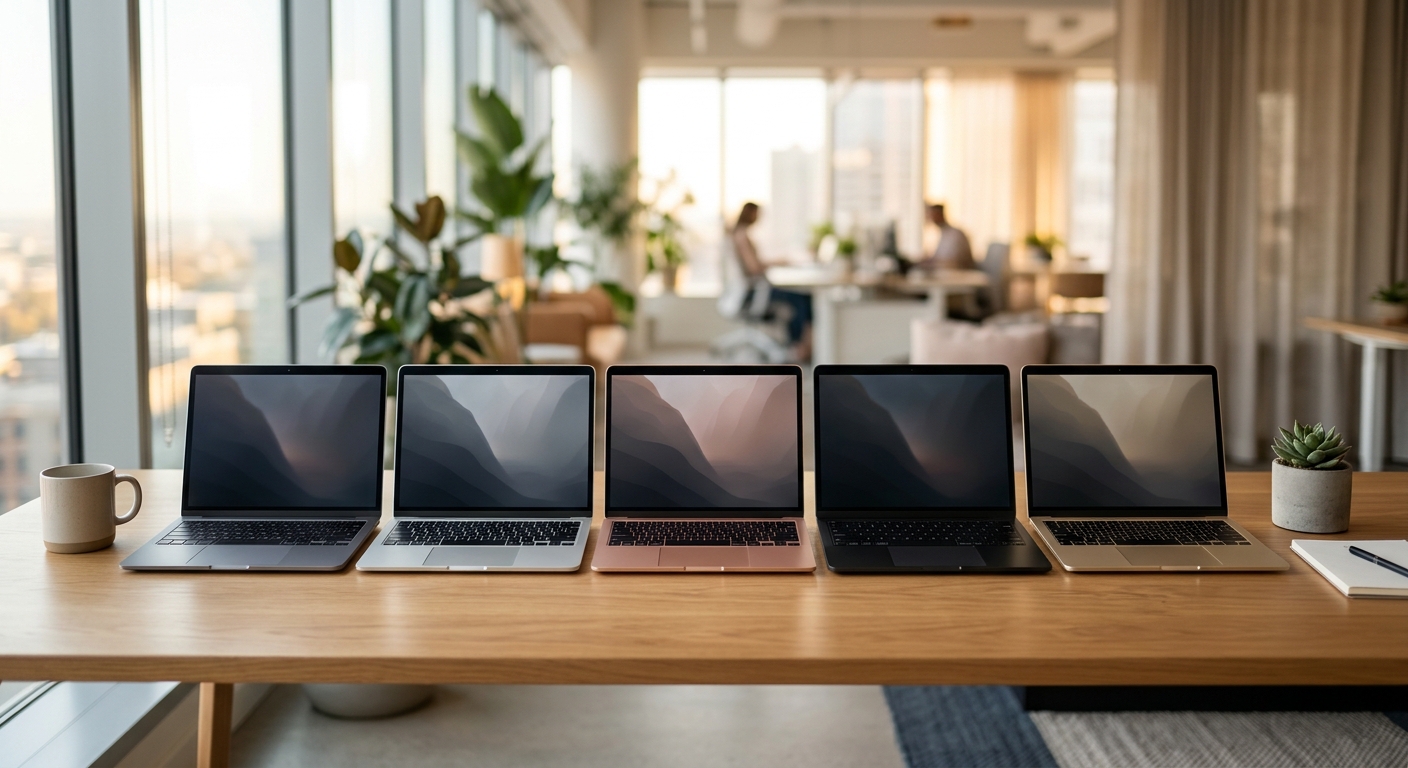
The Apple MacBook Air 13-inch M5 is the best overall choice for most people who want strong performance, long battery life and a lightweight design. Windows users should consider the Dell XPS 13, while the MacBook Neo offers a more affordable entry into macOS. Buyers who need an OLED screen or upgradeable hardware should look at the MSI Prestige 13 AI+ and Framework Laptop 13.
Choosing a smaller laptop means balancing portability with the features you need for everyday work. A compact device should be comfortable to carry, but it should also handle browser tabs, video calls, documents, entertainment and demanding applications without becoming frustrating.
The market has several interesting options in 2026, including Apple’s M5-powered MacBook Air, Dell’s updated XPS lineup and Windows laptops with dedicated AI hardware. This guide compares five options, explains their drawbacks and helps you decide which specifications deserve your money.
Best 13-Inch Laptops at a Glance
Most laptops marketed as 13-inch models actually have displays between 13 and 13.6 inches. The recommendations below also include a 13.5-inch Framework model because it belongs to the same compact laptop category.
| Laptop | Best For | Key Specifications | Approximate Price |
|---|---|---|---|
| Apple MacBook Air M5 | Best overall | 13.6-inch display, M5, 16GB RAM | About $1,299 |
| Dell XPS 13 (2026) | Best Windows laptop | 13.4-inch QHD+, Intel Core 5 320 | About $750 |
| Apple MacBook Neo | Best budget option | 13-inch display, A18 Pro, 8GB RAM | About $699 |
| MSI Prestige 13 AI+ | OLED and AI features | 13.3-inch OLED, Core Ultra, 16GB RAM | About $1,799 |
| Framework Laptop 13 | Upgradeability | 13.5-inch display, modular design | About $1,049 |
Prices are approximate US prices checked for November 2026. Retailer discounts, configurations, taxes and regional availability can change the final cost. Framework pricing reflects its listed starting sale price.
1. Apple MacBook Air 13-inch M5: Best Overall
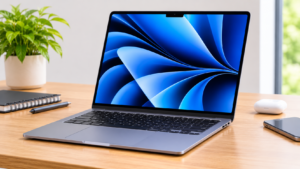
The MacBook Air remains a strong choice if you want a small laptop without sacrificing everyday performance. Its M5 processor, lightweight aluminum construction and high-resolution display make it suitable for students, professionals, content creators and frequent travellers.
Apple’s 2026 model uses a 13.6-inch Liquid Retina display with a native resolution of 2560 × 1664 pixels. The screen also supports up to 500 nits of brightness, making it suitable for indoor work and many brighter environments.
Important specifications:
-
Processor: Apple M5, 10-core CPU
-
Display: 13.6-inch Liquid Retina
-
Resolution: 2560 × 1664
-
Memory: 16GB, configurable to 24GB or 32GB
-
Storage: 512GB SSD, configurable up to 4TB
-
Battery: Up to 15 hours of wireless web use
-
Weight: Approximately 2.7 pounds
-
Connectivity: Two Thunderbolt 4 ports, MagSafe 3 and Wi-Fi 7
Apple lists the M5 MacBook Air’s full configuration and technical details on its official MacBook Air specifications page.
Why should you buy it?
The biggest advantage is its balance of performance and portability. You can work with multiple applications, edit photos, attend online meetings and handle everyday creative projects without carrying a heavier workstation.
The fanless design also means there is no cooling fan noise during normal operation. Its battery specifications are particularly attractive for people who regularly work away from a power outlet.
Who should skip it?
Windows users who depend on specialised Windows applications should choose a Windows laptop instead. The MacBook Air also has limited built-in connectivity, so connecting several external accessories may require a USB-C hub.
Main drawback: Memory and storage upgrades increase the purchase price, and the internal memory cannot be upgraded later.
Price: About $1,299 at time of writing, November 2026.
2. Dell XPS 13 (2026): Best Windows Laptop
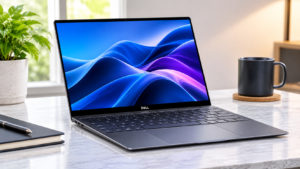
If you prefer Windows, the Dell XPS 13 is one of the strongest compact options to consider. Its 13.4-inch touchscreen offers more display space than some traditional 13-inch laptops while keeping the overall design portable.
The 2026 configuration listed by Dell includes an Intel Core 5 320 processor, integrated graphics, 8GB of LPDDR5X memory and 256GB of storage. Dell also offers higher configurations, so check the exact model before ordering.
Important specifications:
-
Processor: Intel Core 5 320
-
Display: 13.4-inch QHD+ touchscreen
-
Resolution: 2560 × 1600
-
Memory: Configuration-dependent, starting at 8GB
-
Storage: Configuration-dependent
-
Operating system: Windows 11 Home
-
Weight: Approximately 2.2 pounds for the reviewed configuration
Dell’s US store listed a configuration at approximately $749.99 when checked for this article.
Why should you buy it?
The XPS 13 is attractive if you want a premium Windows experience in a small package. Its high-resolution touchscreen is useful for reading, browsing, office work and entertainment.
It also makes sense for people who already use Windows software, Microsoft 365 applications and Windows-compatible accessories.
Who should skip it?
Avoid the entry-level 8GB configuration if you regularly run several demanding applications or keep many browser tabs open. A 16GB configuration is a safer choice for longer-term everyday use.
Main drawback: The compact design limits built-in connectivity. The entry-level configuration also makes compromises in memory and storage.
Price: About $750 at time of writing, November 2026, for the listed US configuration.
You can check configurations and current availability through the official Dell XPS 13 store.
3. Apple MacBook Neo: Best Budget 13-Inch Laptop
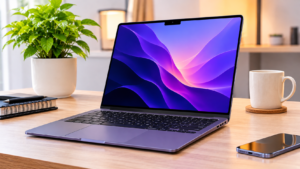
Not everyone needs an expensive laptop for everyday computing. If your main activities involve web browsing, online classes, writing, streaming and basic productivity, the MacBook Neo deserves attention.
Apple introduced the MacBook Neo as a more affordable MacBook option. It uses the A18 Pro chip rather than the M5 processor found in the MacBook Air.
Its 13-inch Liquid Retina display, aluminum enclosure and macOS experience make it appealing to first-time Mac buyers.
Important specifications:
-
Processor: Apple A18 Pro
-
Display: 13-inch Liquid Retina
-
Memory: 8GB unified memory
-
Storage: 256GB or 512GB configurations
-
Battery: Up to 16 hours, according to Apple
-
Camera: 1080p FaceTime HD
-
Operating system: macOS
Why should you buy it?
The MacBook Neo provides a relatively affordable way to use macOS. It can handle everyday activities such as browsing, documents, video calls, media consumption and compatible creative applications.
Its aluminum construction is another advantage over some low-cost plastic laptops.
Who should skip it?
People who regularly edit large video projects, run demanding professional applications or multitask heavily should consider a laptop with more memory.
The 8GB memory configuration is a significant limitation compared with the 16GB options available on the MacBook Air.
Main drawback: The lower price comes with compromises. You get less memory, fewer connectivity options and less performance headroom for demanding workloads.
Price: About $699 at time of writing, November 2026, for the US starting configuration.
Apple’s official MacBook Neo product page provides additional information about its features and available configurations.
4. MSI Prestige 13 AI+: Best for OLED Display and AI Features
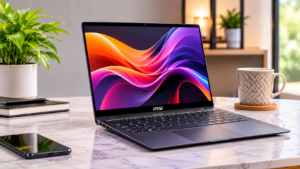
The MSI Prestige 13 AI+ is worth considering if display quality and a lightweight Windows design are high on your priority list.
Unlike conventional LCD laptops, the Prestige 13 AI+ uses a 13.3-inch OLED display with a 2.8K resolution. OLED technology produces deep blacks and strong contrast, which can improve the experience when watching films, viewing photographs or working with visual content.
MSI’s 2026 Prestige series also includes Intel Core Ultra processors and hardware designed for AI-related workloads.
Important specifications:
-
Processor: Intel Core Ultra 7 or Ultra 9, depending on configuration
-
Display: 13.3-inch OLED
-
Resolution: 2880 × 1800
-
Memory: 16GB LPDDR5X in the listed configuration
-
Storage: 1TB NVMe SSD
-
Connectivity: Thunderbolt 4, USB-A and HDMI
-
Wireless: Wi-Fi 7
-
Weight: Approximately 899 grams for the advertised lightweight configuration
Why should you buy it?
Its OLED panel is the main attraction. If you spend considerable time viewing photographs, watching videos or working with visual content, the display can make a noticeable difference.
The lightweight construction also makes it convenient for people who travel frequently. Selected configurations include an NPU designed to accelerate supported AI workloads.
However, having an NPU does not automatically mean every AI application will run locally or work without an internet connection. Software support and the specific processor configuration still matter.
Who should skip it?
Budget-conscious buyers should look elsewhere. The Prestige 13 AI+ is positioned as a premium laptop, and its price may be difficult to justify if you mainly use documents, email and web applications.
Main drawback: Its premium price and limited memory upgrade options make configuration selection particularly important.
Price: About $1,799 at time of writing, November 2026, based on MSI’s advertised starting price for the 2026 Prestige 13 AI+ series.
5. Framework Laptop 13: Best for Upgradeability
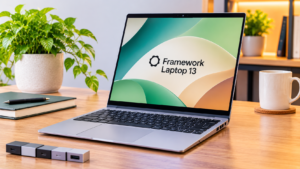
Most thin laptops make upgrading difficult. Some have soldered memory, restricted internal access or components that are expensive to replace.
Framework takes a different approach.
The Framework Laptop 13 is designed around modular components. Depending on the generation and configuration, users can replace or upgrade components such as memory, storage, the motherboard and expansion cards.
Its 13.5-inch display places it slightly above the traditional 13-inch measurement, but its compact design makes it a relevant alternative.
Important specifications:
-
Display: 13.5-inch
-
Processor: AMD Ryzen AI 300 Series options
-
Memory: Configuration-dependent
-
Storage: Configuration-dependent
-
Design: Modular and repairable
-
Operating system: Windows or compatible Linux distributions, depending on configuration
Why should you buy it?
The biggest reason is long-term flexibility. Instead of replacing the entire computer when a particular component becomes outdated, you may be able to upgrade selected hardware.
This approach can be useful for technically confident users, developers and people who want more control over their devices.
It also offers a different ownership experience compared with traditional ultrabooks.
Who should skip it?
If you want a laptop that is ready to use immediately with minimal configuration, a conventional MacBook or Dell laptop may be more convenient.
You should also consider the availability and cost of replacement components in your country before buying.
Main drawback: The modular design does not automatically make it cheaper. Individual upgrades can add to the total cost, and availability varies by region.
Price: About $1,049 at time of writing, November 2026, based on the listed Framework Laptop 13 AMD Ryzen AI 300 Series starting sale price.
You can explore available configurations through the official Framework laptop marketplace.
What Should You Look for When Buying a 13-Inch Laptop?
A compact laptop can look impressive on a product page but still disappoint if its memory, keyboard, ports or battery do not match your daily needs.
Before choosing a model, pay attention to these five areas.
1. Processor and Everyday Performance
The processor determines how well a laptop handles applications, multitasking and demanding workloads.
For everyday activities, modern Apple M-series chips and Intel Core processors offer plenty of performance. AMD Ryzen AI processors are also worth considering if you need a Windows laptop with strong integrated graphics and supported AI features.
Do not choose a laptop based on processor branding alone. Check the exact processor generation and configuration.
2. How Much RAM Do You Need?
Memory is particularly important in compact laptops because many manufacturers solder it directly onto the motherboard.
Here is a practical guide:
| RAM | Suitable Workload |
|---|---|
| 8GB | Basic browsing, documents and light applications |
| 16GB | Everyday multitasking, office work and general productivity |
| 24GB | Heavier multitasking and creative applications |
| 32GB or more | Development, demanding creative workloads and specialised applications |
For most buyers, 16GB is the sensible starting point. If you regularly use demanding software, consider 24GB or 32GB.
Remember that unified memory on Apple silicon and conventional Windows laptop RAM are not directly interchangeable in performance or architecture.
3. Display Quality Matters
A 13-inch screen can be comfortable for everyday use, but display specifications still differ considerably.
Consider these features:
-
Resolution: Look for at least Full HD or a comparable high-resolution panel.
-
Brightness: Around 400 to 500 nits is useful if you work in bright environments.
-
Panel type: OLED offers deep blacks, while IPS displays can provide good colour and viewing angles.
-
Aspect ratio: A 16:10 or 3:2 display provides more vertical working space than a traditional 16:9 screen.
-
Touchscreen: Useful for certain workflows, but not essential for everyone.
If you regularly work with photographs or videos, display colour accuracy should also influence your decision.
4. Battery Life and Charging
Manufacturers advertise battery life under specific testing conditions. Actual results depend on screen brightness, applications, wireless connectivity and workload.
A laptop that advertises 18 hours of video playback will not necessarily deliver the same runtime during continuous video editing or heavy multitasking.
Check independent battery tests where possible, and consider whether the laptop supports USB-C charging.
5. Ports and Upgradeability
Small laptops often have fewer physical connections than larger computers.
Before purchasing, check whether the device includes the connections you actually need:
-
USB-C or Thunderbolt
-
USB-A for older accessories
-
HDMI for external displays
-
A headphone jack
-
An SD or microSD card reader
Also check whether its RAM and SSD can be replaced. An upgradeable SSD can make a meaningful difference if you expect to keep the laptop for several years.
Are 13-Inch Laptops Good for AI Features?
Yes, but the laptop’s size does not determine how capable its AI hardware will be.
Modern compact laptops can include dedicated neural processing units (NPUs), which accelerate certain machine-learning tasks. Depending on the hardware and software, these processors can help with video effects, background noise reduction and supported on-device AI applications.
Microsoft’s Copilot+ PC requirements include an NPU capable of at least 40 TOPS. However, not every laptop advertised as an AI PC meets that specific requirement.
For example, the MSI Prestige 13 AI+ configurations and newer Snapdragon-based Windows laptops offer different AI hardware capabilities. Apple’s M5 MacBook Air uses its own Neural Engine and Apple Intelligence ecosystem.
Before paying extra for an AI laptop, consider three questions:
-
Does the software you use support local AI processing?
-
Does the laptop meet the hardware requirements for the features you want?
-
Will those features improve your everyday workflow?
If you want to understand Microsoft’s AI laptop category in more detail, see our guide to what makes a Copilot+ PC different.
For more background, Microsoft’s official Copilot+ PC information explains its hardware-focused PC category.
Is a 13-Inch Laptop Better Than a 14-Inch Laptop?
Neither size is automatically better. The right choice depends on how often you travel and how much screen space you need.
A 13-inch laptop is generally easier to carry and fits comfortably into smaller bags. It is particularly useful for students, commuters and professionals who frequently work outside their homes or offices.
A 14-inch laptop offers additional screen space, which can make spreadsheets, split-screen applications and creative work more comfortable.
Consider the differences:
| Feature | 13-Inch Laptop | 14-Inch Laptop |
|---|---|---|
| Portability | Usually excellent | Very good |
| Screen workspace | More limited | More comfortable |
| Keyboard space | Compact | Often more spacious |
| Travel use | Excellent | Very good |
| Multitasking | Suitable for everyday use | Better for multiple windows |
| Hardware choices | More limited | Generally broader |
One important detail: modern display bezels have become thinner. Some 14-inch laptops have a similar physical footprint to older 13-inch models.
If you spend most of your time at a desk, a 14-inch laptop may be the more comfortable choice. If portability is your priority, a 13-inch model makes more sense.
Which 13-Inch Laptop Should You Buy?
The best choice depends on your operating system preference, budget and workload.
-
Best overall: Apple MacBook Air M5. It offers an excellent balance of performance, battery life and portability.
-
Best Windows option: Dell XPS 13. Choose it if you prefer Windows and want a compact premium laptop.
-
Best budget option: Apple MacBook Neo. It is suitable for everyday computing without the higher cost of the Air.
-
Best OLED option: MSI Prestige 13 AI+. Its OLED display and lightweight design are major advantages.
-
Best upgradeable option: Framework Laptop 13. It makes sense if repairability and hardware flexibility matter to you.
For most people, the MacBook Air M5 is the strongest all-around recommendation. However, Windows users should compare the Dell XPS 13 and MSI Prestige 13 AI+ before deciding.
Do not spend extra money on specifications you will rarely use. A well-configured mid-range laptop can be a better purchase than an expensive model with features that do not match your daily requirements.
How We Chose These 13-Inch Laptops
We reviewed the current 13-inch laptop market by comparing manufacturer specifications, available configurations, independent review findings and published pricing.
Our research considered:
-
Processor performance and memory configurations.
-
Display resolution, brightness and panel technology.
-
Advertised battery life and independent battery testing.
-
Weight, portability and physical connectivity.
-
Upgradeability and repairability.
-
Price relative to the features offered.
We also considered different buyer requirements rather than selecting five laptops that serve exactly the same purpose.
We have not claimed hands-on testing of these models. Product recommendations are based on published specifications and available independent reviews.
For more information about our product selection process, visit our How We Pick Products page.
Frequently Asked Questions
What is the best 13-inch laptop in 2026?
The Apple MacBook Air 13-inch M5 is our best overall recommendation for 2026. It combines strong everyday performance, a high-resolution display and good battery specifications in a lightweight design. Windows users should consider the Dell XPS 13.
Is a 13-inch laptop big enough for everyday work?
Yes. A 13-inch laptop provides enough screen space for documents, browsing, online meetings, emails and many productivity applications. However, people who regularly work with multiple windows or large spreadsheets may prefer a 14-inch display.
Is 8GB RAM enough for a 13-inch laptop?
Eight gigabytes can handle basic browsing, documents and light applications. However, 16GB is a better starting point if you regularly multitask or want more memory headroom for future software requirements.
Are 13-inch laptops good for students?
Yes. Their compact size makes them convenient for carrying between classrooms, libraries and home. A good student laptop should have sufficient memory, comfortable keyboard, dependable battery life and enough storage for coursework.
Should I buy a MacBook Air or a Windows 13-inch laptop?
Choose the MacBook Air if you prefer macOS, Apple’s ecosystem and the M5 processor. Choose a Windows laptop if you need Windows-specific software, broader compatibility with certain peripherals or a particular touchscreen and hardware configuration.