
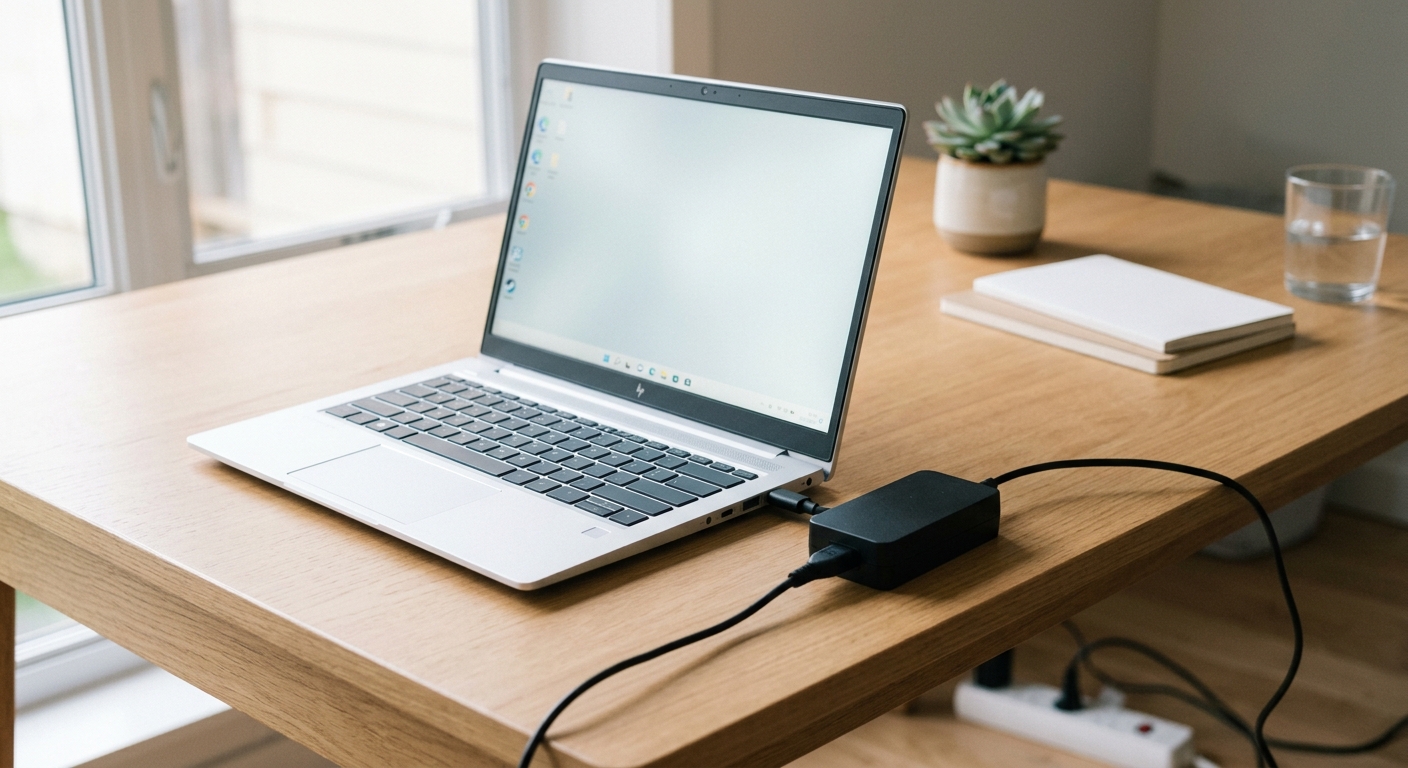
If you are looking for an HP laptop charger 45W, the most important thing is to check your laptop’s required wattage, voltage and charging connector before buying. A 45W adapter can power compatible HP laptops, Chromebooks and selected business notebooks. However, traditional barrel-pin and USB-C chargers are different, even when both advertise 45W output.
Choosing the correct adapter helps you avoid slow charging, compatibility problems and unnecessary purchases. This guide explains what an HP 45W charger offers, which devices can use it and what to check before ordering a replacement.
What Is an HP Laptop Charger 45W?
An HP 45W laptop charger is a power adapter designed to deliver up to 45 watts of electrical power to a compatible laptop or tablet. It converts electricity from a wall outlet into the power required by the device.
The 45W rating represents the adapter’s maximum power output. It does not mean that your laptop constantly consumes 45 watts. Actual power consumption changes depending on what you are doing, the battery level and the laptop’s hardware.
HP offers different 45W adapter designs, including traditional Smart AC adapters and USB-C power adapters.
These chargers serve different devices and use different connection methods. Therefore, checking the exact adapter type is just as important as checking its wattage.
Common HP 45W Charger Specifications
A traditional HP 45W Smart AC adapter commonly uses the following electrical specifications:
| Specification | Typical rating |
|---|---|
| Maximum power | 45W |
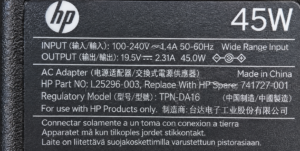
| Output voltage | 19.5V |
| Output current | 2.31A |
| Connector | Depends on adapter model |
| Input voltage | Check the adapter label |
| Charging technology | Standard AC adapter |
| Intended use | Compatible HP laptops |
The calculation is straightforward:
19.5V × 2.31A = approximately 45W
However, these specifications should not be applied to every HP 45W charger. USB-C versions can use different voltage and current combinations.
Which HP Laptops Are Compatible With a 45W Charger?
Not every HP laptop requires the same amount of charging power. Some lightweight notebooks and older business laptops support 45W adapters, while other models require 65W, 90W or higher.
HP’s official support information lists several older laptop families compatible with its 45W Smart AC adapter.
Examples include:
-
HP EliteBook Folio 1040 series
-
HP EliteBook 1020 G1
-
Selected HP EliteBook 800 series models
-
Selected HP EliteBook 700 series models
-
HP ProBook 430, 440 and 450 G2
-
HP 240 G2 and 250 G2
-
HP Stream 11 G1 and G2
-
Selected HP Chromebook 11 models
These are examples from HP’s adapter compatibility information, not a guarantee that every configuration in each family uses the same charger.
Source: HP’s official 45W Smart AC Adapter specifications.
The safest approach is to identify your complete laptop model number and check its official specifications before purchasing an adapter.
How to Find Your HP Laptop Model
If you are unsure which HP laptop you own, you can find its model information in a few ways.
-
Check the label on the bottom of your laptop.
-
Open Windows Settings and select System > About.
-
Look for the product name and model information.
-
Visit HP Support and search using your product information.
You can also use HP’s support tools to identify the correct replacement accessories.
Important: A laptop series name alone may not be enough. Different generations within the same series can have different charging requirements.
HP 45W USB-C Charger vs Traditional 45W AC Adapter
One of the most confusing parts of shopping for an HP 45W charger is the connector.
HP sells 45W adapters with different designs. A USB-C charger is not automatically interchangeable with a traditional HP Smart AC adapter.
The two designs may have the same wattage but different electrical specifications and compatibility requirements.
| Feature | 45W Smart AC Adapter | 45W USB-C Adapter |
|---|---|---|
| Connection | HP DC connector | USB-C |
| Power rating | 45W | 45W |
| Voltage | Commonly 19.5V | Depends on USB-C adapter |
| Compatibility | Supported HP models | Supported USB-C devices |
| Port requirement | Matching DC charging port | Compatible USB-C charging port |
| Main advantage | Traditional HP charging connection | Convenient USB-C connection |
HP 45W Smart AC Adapter
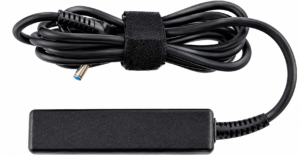
The traditional HP 45W Smart AC adapter is designed for compatible laptops that use HP’s DC charging connector.
Some versions include interchangeable connector accessories, making it possible to support different compatible HP charging ports.
However, the connector must match the laptop’s requirements. A physically fitting plug does not automatically guarantee electrical compatibility.
HP 45W USB-C AC Adapter
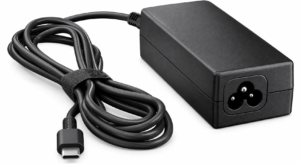
The HP 45W USB-C adapter is designed for supported devices with USB-C charging capability.
HP’s specifications for one 45W USB-C adapter list compatibility with HP notebooks and tablets that have a USB-C connector supporting up to 15V/3A DC input.
This is an important distinction: having a USB-C port does not necessarily mean your laptop supports charging through it.
Check the manufacturer’s specifications before connecting a USB-C power adapter.
Is a 45W Charger Enough for an HP Laptop?
A 45W charger is sufficient when your HP laptop is designed to operate with a 45W power adapter.
For lightweight notebooks and compatible Chromebooks, this rating can provide enough power for everyday activities such as:
-
Browsing websites
-
Writing documents
-
Attending online classes
-
Watching videos
-
Checking emails
-
Using basic productivity applications
However, a 45W charger may not be sufficient for a laptop designed around a 65W or 90W adapter.
For example, if your laptop requires 65W, using a 45W adapter may result in slower charging or insufficient power during demanding tasks.
You may also see a low-power charger warning when starting your laptop.
45W vs 65W vs 90W Chargers
The following comparison explains the differences between common HP laptop charger ratings.
| Charger rating | Typical applications | What to consider |
|---|---|---|
| 45W | Lightweight laptops and selected Chromebooks | Suitable for compatible low-power devices |
| 65W | Many standard business and personal laptops | More power for supported systems |
| 90W | Selected performance laptops and business models | Required by some higher-power configurations |
These are general usage categories, not universal HP compatibility rules.
A 90W adapter is not automatically the correct choice for every laptop, and a 45W adapter is not automatically suitable for every lightweight model.
Your laptop’s official power requirement should always determine your purchase.
Can You Use a 65W Charger Instead of an HP 45W Charger?
In many cases, yes, but compatibility depends on the charging technology and electrical specifications.
For a compatible USB-C Power Delivery connection, a higher-wattage charger can supply up to its rated capacity while the laptop negotiates the power it supports.
For example, a compatible 45W laptop can use a 65W USB-C PD charger without automatically receiving the full 65W.
Traditional HP barrel-pin adapters require more careful checking. The replacement must have the correct voltage, compatible connector and suitable electrical specifications.
Before choosing a higher-wattage adapter, check:
-
The laptop’s required voltage.
-
The connector type and dimensions.
-
The adapter’s output specifications.
-
Whether the laptop supports the charging method.
-
Whether HP lists the adapter as compatible.
A higher wattage number alone does not make an adapter compatible.
How to Choose the Right HP 45W Laptop Charger
Before buying a replacement, check these five details.
1. Confirm Your Laptop Model
Start with the exact HP product name and model number. Avoid relying only on general descriptions such as HP Pavilion or HP EliteBook.
2. Check the Required Wattage
Look at your original charger or the laptop’s official specifications.
If the device specifies 45W, choose a compatible 45W adapter or an approved alternative with suitable specifications.
3. Match the Voltage
For traditional HP adapters, check the output voltage printed on the original adapter.
A common specification is 19.5V, but some HP products use different power requirements.
Do not assume that every HP laptop uses the same voltage.
4. Identify the Charging Connector
Check whether your laptop uses:
-
A traditional HP barrel connector
-
A 4.5mm Smart Pin connector
-
A 7.4mm connector
-
USB-C charging
These connections are not interchangeable simply because the chargers have similar power ratings.
5. Check the Adapter’s Quality and Authenticity
Choose a genuine HP adapter or a reputable replacement that clearly lists its electrical specifications and supported devices.
Avoid chargers with unclear labels, questionable manufacturing details or missing safety information.
A low purchase price is not a good reason to compromise on power compatibility.
Where Can You Find the Correct HP 45W Charger?
The best starting point is HP’s official support website.
Search for your laptop model and review its specifications, manuals and recommended accessories. You can also check HP’s parts and accessories resources for compatible replacement adapters.
Here are three useful official resources:
If you are purchasing from an online marketplace, compare the advertised adapter’s model number with HP’s official specifications.
Do not rely exclusively on product titles such as “Universal HP 45W Charger.” Such descriptions may not identify the exact connector or electrical output.
Common Problems With an HP 45W Laptop Charger
Even a compatible adapter may occasionally experience charging problems. Before assuming that the charger has failed, consider these common situations.
Laptop Charges Slowly
If your laptop requires more than 45W, the adapter may not provide enough power during normal operation.
Check the laptop’s original power requirement and compare it with the replacement adapter.
Laptop Does Not Recognize the Charger
An incompatible connector, unsupported USB-C charging port or adapter identification issue can prevent normal charging.
Confirm the adapter’s model and connector specifications.
Charger Gets Warm
Some warmth during normal operation is expected. However, excessive heat, unusual smells, damaged cables or intermittent charging are warning signs.
Stop using an adapter that appears damaged or behaves abnormally, and have it checked by a qualified technician.
Battery Does Not Charge
The problem may involve the adapter, charging port, battery or laptop power system.
Try checking the adapter connection and reviewing HP’s recommended troubleshooting guidance. If the issue continues, contact HP support rather than repeatedly connecting an unsuitable charger.
Is an HP 45W Charger Worth Buying?
An HP 45W charger is a practical replacement when your laptop specifically supports that power rating.
It can be a suitable option for compatible lightweight notebooks, older business laptops and selected Chromebooks.
However, it is not the best universal charger for every HP laptop. If your device requires 65W or more, buying a 45W adapter simply because it costs less can lead to charging limitations.
The smartest purchase is the adapter that matches your laptop’s official requirements, not necessarily the one with the lowest price or highest wattage.
Frequently Asked Questions
1. Can I use an HP 45W charger for any HP laptop?
No. HP laptops have different power requirements, connector designs and charging capabilities. Check your exact laptop model and confirm that the adapter is listed as compatible before purchasing.
2. What voltage does an HP 45W laptop charger use?
Many traditional HP 45W Smart AC adapters provide 19.5V at approximately 2.31A. Some USB-C models use different voltage and current combinations, so always check the specifications printed on the particular adapter.
3. Can I use a 65W charger instead of a 45W HP charger?
You can use a compatible 65W charger if its voltage, connector and charging technology meet your laptop’s requirements. A higher-wattage USB-C PD adapter can work with a lower-power device when both support the necessary charging standards.
4. Why is my HP laptop charging slowly with a 45W charger?
Your laptop may require more than 45W, particularly when running demanding applications. An unsuitable connector or charging method can also affect performance. Compare the replacement adapter’s specifications with your laptop’s original requirements.
5. How do I know if my HP laptop needs a 45W or 65W charger?
Check the output rating on your original adapter or look up your exact laptop model on HP’s official support website. The product specifications and recommended accessories provide the most reliable information.